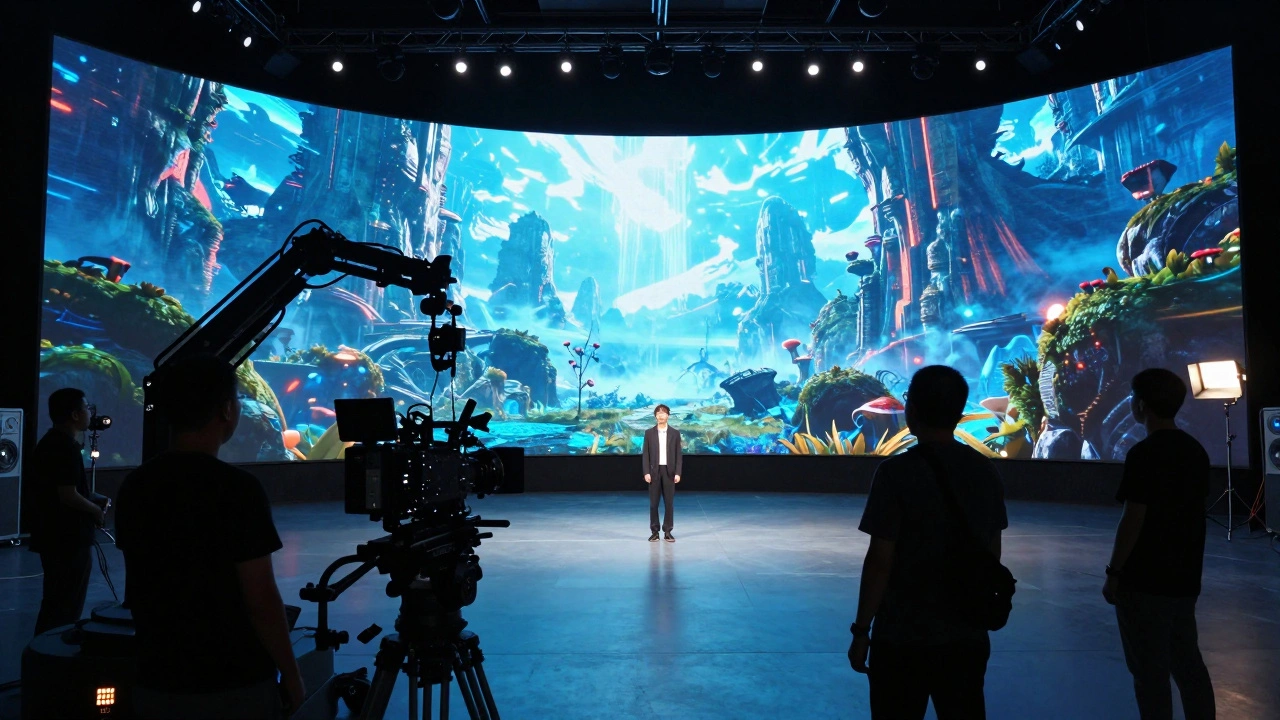
Remember when you could just point a camera at an actor and say "action"? For decades, that was the job. You framed the shot, checked the light, and hoped the green screen key worked later. Now, if you step onto a modern set using Virtual Production is a filmmaking technique that combines real-time rendering, LED volumes, and digital environments to create immersive on-set visuals., the world behind your actors is alive, reactive, and changing in real time. The sky isn't a static image; it's a dynamic environment controlled by a computer. The lighting on the actor's face matches the sun position in the digital world. And if you want to move the sun, you don't wait for dawn-you tell the technical director to rotate the timeline.
This shift isn't just about cool tech. It changes how you direct. It changes how you rehearse. It changes who you talk to on set. If you're a director stepping into this space for the first time, or even a seasoned pro looking to update your workflow, understanding these new tools is no longer optional-it's essential. Here is what you need to know about directing in the age of virtual production.
The Core Technology: LED Volumes and Real-Time Engines
To direct effectively, you first need to understand what you are looking at. The heart of virtual production is the LED Volume is a large-scale LED wall system that displays high-resolution, real-time rendered backgrounds and lighting for film sets.. Unlike a green screen, which provides no visual feedback during filming, an LED volume wraps the set in light and imagery. This creates realistic reflections in eyes, glass, and metallic surfaces without post-production fixes.
Driving these walls is usually Unreal Engine is a real-time 3D creation tool widely used in virtual production for rendering environments and managing camera tracking data.. While originally built for video games, its ability to render complex scenes at high frame rates makes it perfect for film. Other engines like Unity is a cross-platform game engine increasingly adopted for virtual production due to its flexible asset pipeline and scripting capabilities. are also gaining traction, but Unreal remains the industry standard for most major productions.
The magic happens through Real-Time Rendering is the process of generating images instantly as camera moves occur, allowing directors to see final-pixel visuals during shooting.. As you move the camera, the perspective on the LED wall shifts correctly. This is called parallax. If you walk left, the background appears to move right, creating depth. This eliminates the flat look of traditional blue screens and gives actors something real to react to.
How Your Role Changes: From Post to Pre
In traditional filmmaking, much of the visual decision-making happened in post-production. You'd shoot against green, then decide later where the explosion goes or how bright the sunset is. With virtual production, those decisions move to pre-production and on-set. You are making final-image choices while the camera is rolling.
This means your prep work intensifies. You can't wing it. You need to lock down your shots earlier. Why? Because the virtual environment is expensive to run. You have a team of artists tweaking assets in real time. If you change the composition drastically after blocking, you might break the render chain or require assets that haven't been optimized yet.
Your relationship with the Virtual Production Supervisor is the key crew member responsible for bridging the gap between creative direction and technical execution on virtual sets. becomes critical. This person is your translator. They speak both "director" and "engineer." When you say, "I want more mood here," they know whether to adjust the fog density in Unreal, tweak the LED brightness, or add a practical light source. Build this relationship early. Rehearse with them. Test your shots before principal photography begins.
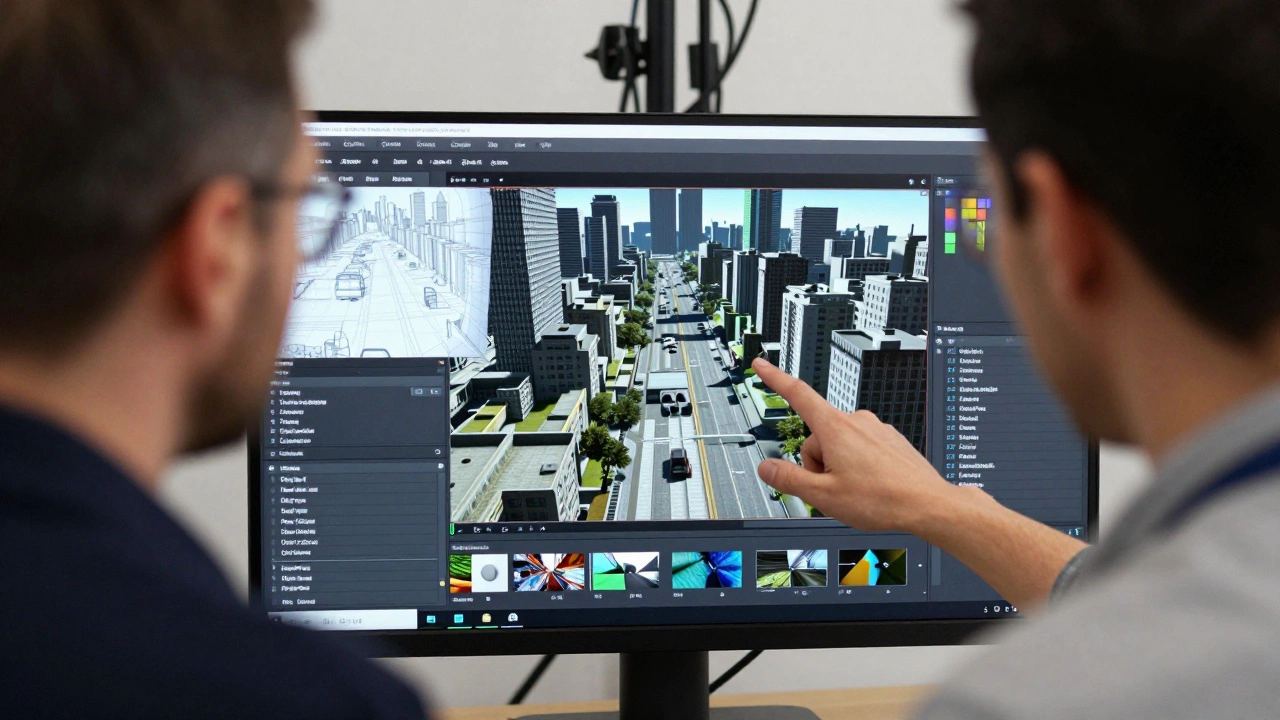
On-Set Workflow: Blocking, Lighting, and Camera
Blocking on a volume feels different. There are no physical walls to hit (unless you build them), so spatial awareness relies heavily on markers and monitors. You'll often use Camera Tracking is technology that maps the physical camera's position and orientation to the virtual camera in the engine to maintain correct perspective. systems like Mo-Sys or Stype. These systems send data from your physical camera to the engine, ensuring the background moves perfectly with your lens.
Lighting is perhaps the biggest advantage. In the past, you had to match practical lights to the green screen background. Now, the LED wall *is* the light source. If your character walks out of a spaceship into sunlight, the LED wall transitions from cool interior tones to warm sunlight, and the light hits the actor naturally. This saves hours of lighting setup and reduces the need for massive softboxes and flags.
However, you must be mindful of Refresh Rate is the number of times per second the LED display updates its image, critical for avoiding motion artifacts and maintaining realism.. Most volumes run at 60Hz or higher. If you shoot at 24 frames per second, you need to ensure there's no flickering or banding. Your DP will handle the technical side, but as a director, you need to know that rapid camera movements can sometimes cause visual glitches if the engine can't keep up. Plan your moves. Slow, deliberate pans often look better than frantic handheld shakes unless you've tested the system's limits.
Challenges and Pitfalls to Avoid
Virtual production isn't a silver bullet. It introduces new problems. One major issue is Pixel Pitch is the distance between individual LEDs on the screen, determining resolution and viewing distance limitations.. If you get too close to the wall, you'll see pixels. This limits your lens choices. Wide-angle lenses are generally safer because they capture less detail from the background. Telephoto lenses compress the image and can reveal imperfections. Know your pixel pitch and plan your focal lengths accordingly.
Another challenge is creative flexibility. Once you start shooting, changing the environment is harder than you think. If you decide halfway through a scene that you want rain instead of sunshine, you can't just turn on a rain machine. You need the art department to modify the 3D assets, the lighting team to adjust the LED output, and the engine team to re-render the scene. These changes take time and money. Lock your vision early. Use rehearsals to test alternatives.
Actor performance can also be affected. Some actors struggle with the surreal nature of standing in front of a giant screen showing a forest while wearing winter clothes indoors. Others thrive, finding the immediacy liberating. Gauge your cast. Give them context. Show them reference footage. Help them believe in the world you're building.
| Aspect | Traditional Green Screen | Virtual Production (LED Volume) |
|---|---|---|
| Visual Feedback | None during shoot | Real-time, final-pixel quality |
| Lighting | Manual matching required | Integrated, reactive lighting |
| Post-Production | Heavy compositing needed | Minimal cleanup, mostly color grading |
| Creative Flexibility | High (decisions made later) | Lower (changes require engineering) |
| Cost Structure | Lower upfront, higher post | Higher upfront, lower post |
Pre-Production: Where the Magic Starts
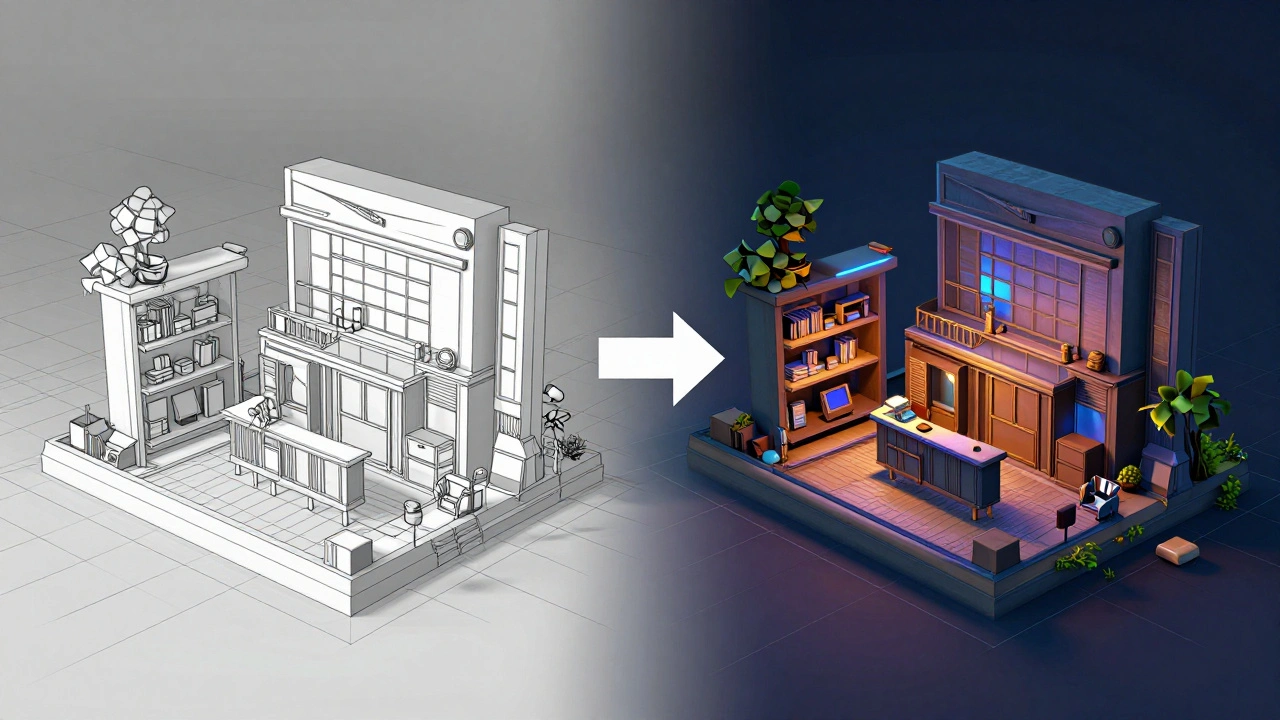
If virtual production is going to work, your pre-production must be meticulous. You need a Previs is previsualization, a rough animated version of the film used to plan shots and timing before actual filming. that is closely aligned with the final assets. Don't just use stick figures. Use simplified versions of the actual 3D models. This ensures that the scale, lighting, and camera moves you plan are technically feasible.
Collaborate with your VFX supervisor early. They need to know which elements will be practical and which will be virtual. A common mistake is trying to put everything on the LED wall. Sometimes, a simple matte painting or a small green screen element is more efficient. Not every shot needs the volume. Use it where it adds value-complex environments, dynamic lighting, or scenes requiring strong actor interaction with the background.
Create a shot list that includes technical constraints. Note the focal length, camera movement speed, and any special effects. Share this with the virtual production team days before shooting. This allows them to optimize assets and prepare renders. Efficiency on set comes from preparation off set.
Communicating with the Team
Your vocabulary needs to expand. Learn terms like Parallax is the apparent displacement of an object due to a change in observer position, crucial for creating depth in virtual backgrounds., FOV is Field of View, the angular extent of the scene seen by the camera, affecting how much of the LED wall is visible., and Latency is the delay between camera movement and the corresponding change in the virtual background, which can disrupt immersion if too high.. You don't need to be an engineer, but understanding these concepts helps you communicate clearly.
When giving notes, be specific. Instead of saying, "Make it bigger," say, "Increase the scale of the mountain model by 10%" or "Move the horizon line up." Ambiguity leads to errors. Errors cost time. Time costs money. Clear communication keeps the shoot moving smoothly.
Finally, trust your team. Virtual production requires dozens of specialists working in sync. From engine programmers to lighting technicians, everyone plays a role. Respect their expertise. Ask questions. Be open to suggestions. The best virtual production shoots happen when the director and the technical team collaborate as equals.
Is virtual production only for big-budget films?
Not anymore. While early adopters were blockbusters, smaller studios and independent filmmakers are now accessing virtual production through shared facilities and rental packages. The cost structure has shifted, making it viable for mid-range projects that need complex environments but lack post-production budgets.
Do I still need a VFX team if I use virtual production?
Yes. Virtual production handles the on-screen environment, but VFX teams are still needed for elements outside the LED wall's reach, such as distant explosions, weather effects, or digital creatures interacting with actors. It reduces, but doesn't eliminate, post-production work.
What is the biggest mistake directors make on virtual sets?
The biggest mistake is under-preparing. Directors often treat virtual production like traditional shooting, expecting last-minute changes to be easy. In reality, changes require engineering adjustments. Locking shots and environments early is crucial for efficiency and cost control.
How does camera tracking affect my lens choice?
Camera tracking requires precise calibration. Wide-angle lenses are generally easier because they capture less detail from the background, hiding potential pixelation. Telephoto lenses can reveal imperfections in the LED display or rendering. Always test your focal lengths during rehearsals to ensure compatibility with the volume's resolution.
Can I use virtual production for dialogue-heavy scenes?
Absolutely. Virtual production excels in dialogue scenes because it provides realistic lighting and reflections, enhancing actor performance. Actors can focus on their lines rather than imagining imaginary worlds. Just ensure the background isn't distracting and that the lighting supports the emotional tone of the conversation.