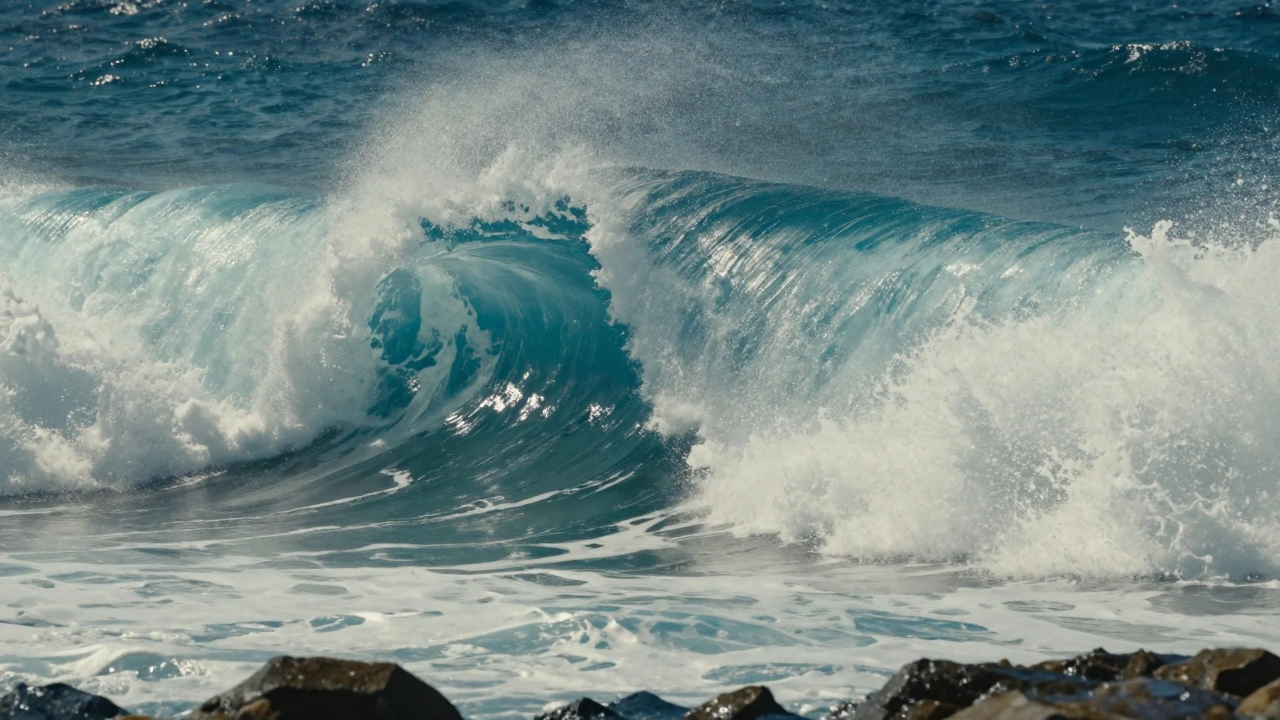
The biggest hurdle in FX is the "render wall." You can create a beautiful simulation, but if it takes three years to render a ten-second shot, it's useless. The trick is balancing visual fidelity with computational cost. Whether you're working on a stylized indie project or a massive tentpole film, the goal is the same: create something that feels heavy, chaotic, and grounded in reality.
Quick Takeaways for FX Artists
- Layering is key: Never rely on one simulation; combine large-scale motions with small-scale detail passes.
- Scale matters: A water droplet and an ocean wave use the same math but different scales; if your scale is off, the physics will look "miniature."
- Cache early: Always write your simulations to disk (caching) before tweaking lighting or rendering.
- Prioritize motion: The viewer notices the movement and timing long before they notice the resolution of the foam.
The Blueprint for Fluid Simulations: Water and Oceans
Water is notoriously difficult because it changes state. It goes from a smooth surface to a splashing wave, then to spray, and finally to foam. To handle this, professional pipelines use a hybrid approach. We don't just simulate one big block of water; we use a system of nested solvers.
Houdini is a procedural 3D software that serves as the industry standard for FX due to its node-based architecture and powerful simulation engines. In Houdini, water is typically handled via FLIP (Fluid Implicit Particle) solvers. FLIP combines the best of particles (which track movement) and grids (which track pressure), allowing for those massive splashes and crashing waves seen in disaster movies.
The real secret to a cinematic ocean isn't the water itself, but the "white water." This is a secondary simulation. Once the main FLIP fluid is calculated, artists run a separate pass to generate foam, bubbles, and spray based on the turbulence and aeration of the primary wave. If you've noticed how the foam lingers on a beach in a high-end film, that's a result of a dedicated foam solver tracking the velocity of the particles.
| Method | Best For | Pros | Cons |
|---|---|---|---|
| FLIP | Large scale oceans, splashes | High volume preservation | Computationally heavy |
| SPH (Smoothed Particle Hydrodynamics) | Small scale liquids, pouring | Great for droplets | Hard to get smooth surfaces |
| Grid/Eulerian | Slow moving thick liquids | Stable and predictable | Lacks fine detail/splashes |
Harnessing Chaos: Fire and Smoke Workflows
Unlike water, fire and smoke are "volumetrics." They aren't solid surfaces; they are densities of gas and temperature. To make fire look real, you have to simulate the combustion process. This is usually done using a Pyro Solver, which calculates the behavior of gases, heat, and combustion within a 3D grid.
The most common mistake beginners make is trying to make the fire "look" orange. In a professional workflow, you simulate the density and temperature. The color is added later during the shading process. If the temperature is high, the gas rises faster; if the density is high, the smoke looks thicker. This relationship is what creates that organic, rolling look of a large-scale explosion.
To avoid the "CG look," artists add turbulence and noise at different scales. You might have a large-scale swirl for the overall shape of the mushroom cloud and a tiny, high-frequency noise for the flickering embers. This layering mimics the fractal nature of real-world fire. By using a VDB (OpenVDB), which is an open-source library for sparse volumetric data structures, artists can store these massive amounts of smoke data efficiently without crashing their workstations.
The Art of Destruction: Rigid Body Dynamics (RBD)
Breaking a building in a movie is more than just shattering a mesh. It's about structural integrity. If you just hit a wall with a sphere, it looks like a bunch of cubes falling over. To make it feel authentic, you need to implement "constraints."
Constraints are the invisible glues that hold a building together. In a Rigid Body Dynamics (RBD) workflow, we define how much force is required to break a specific bond. For example, concrete breaks differently than steel beams. By assigning different strengths to these constraints, the building will collapse realistically-the floors will pancake, and the support beams will buckle under the weight.
The real magic happens when you combine RBD with other simulations. When a wall collapses, it doesn't just leave rubble; it kicks up a massive cloud of dust. This is where you transition from an RBD simulation to a Pyro simulation. The falling debris acts as the "emitter" for the dust. If the debris hits the ground at 50 mph, the dust should explode outward. This inter-dependency between different solvers is what separates amateur work from studio-grade VFX.
Optimizing the Pipeline: From Sim to Render
The biggest bottleneck in FX is memory. A single frame of a high-res destruction sim can take up gigabytes of RAM. To survive this, studios use a process called "proxying." They run a low-resolution version of the sim to get the timing and motion right. Once the director approves the movement, they "up-res" the simulation, adding detail in a second pass without changing the overall motion.
Another essential tool is the Mantra or Karma renderer, which can handle the complex light scattering inside a cloud of smoke or a drop of water. Because volumetrics are so heavy, artists often use "deep compositing." Instead of rendering a flat image, they render the depth of the smoke, allowing the compositing team to slide other elements (like characters) inside the smoke without needing to re-render the whole scene.
Common Pitfalls and How to Fix Them
- The "Floaty" Look: If your debris feels like it's floating in space, increase the gravity or check your scale. Real objects have weight; if a 10-ton slab of concrete takes 5 seconds to fall 10 feet, it's going to look fake.
- Uniformity: Nature isn't perfect. Avoid using perfectly square grids or perfectly round spheres. Add a bit of randomness (jitter) to your initial positions and velocities.
- Over-simulating: Don't try to simulate every single pebble. Use a few high-res "hero" pieces and a lot of low-res particles to fill the gaps.
What is the difference between FLIP and SPH for water?
FLIP (Fluid Implicit Particle) is better for large-scale volumes like oceans because it preserves volume very well and prevents the water from "shrinking." SPH (Smoothed Particle Hydrodynamics) is generally better for small-scale, high-detail interactions like pouring a glass of wine or small splashes, as it handles particle-to-particle interaction more naturally.
Why do my simulations look "blocky"?
Blockiness usually comes from a resolution that is too low for the scale of the scene. In volumetric sims, this means your voxel size is too large. Try decreasing the voxel size (increasing the resolution), but be careful-this will exponentially increase your render and simulation times.
How do I make fire look more cinematic?
Focus on the temperature and velocity gradients. Real cinematic fire has a lot of internal movement. Adding a noise field to the velocity will create those swirling patterns. Also, ensure you are simulating smoke (density) alongside the fire, as the contrast between the bright flame and the dark smoke is what gives fire its depth.
Do I need a supercomputer to do this at home?
Not necessarily. While studios use render farms, you can create impressive FX by using "proxy" workflows. Simulate at low resolution, use smaller domains, and leverage GPU-accelerated solvers (like those in newer versions of Houdini) to speed up the process.
What is the role of VDBs in FX?
VDBs are a way of storing volumetric data that only saves the "active" areas of a grid. Instead of saving a giant cube of empty space, it only saves where the smoke or fire actually exists. This is critical for memory management in high-end film production.
Next Steps for Your FX Journey
If you're just starting, don't try to build a city-destroying wave on day one. Start with a "box sim"-drop a cube into a pool of water and focus on the splash. Once you understand how the solver reacts to scale and velocity, move toward multi-solver setups. Try making a wall break (RBD) and then adding a dust cloud (Pyro) that triggers upon impact.
For those moving into a professional pipeline, focus on your caching strategy. Learn how to organize your disk space and use formats like Alembic or VDB to pass data between different software. The goal isn't just to make a cool image, but to create a stable, repeatable workflow that doesn't crash when the director asks for a "small change" two days before the deadline.



Comments(4)