Ever watch a movie where the action feels choppy, like a slideshow that’s lost its rhythm? Or maybe you’ve seen a scene where a car speeding past looks unnaturally smooth, almost dreamlike? That difference comes down to two technical settings that define how we perceive movement on screen: motion blur and shutter angle. These aren’t just camera settings; they are the invisible hands shaping our emotional response to every cut, pan, and tracking shot.
In digital filmmaking, these concepts have evolved beyond simple mechanical adjustments. They are now aesthetic tools as powerful as color grading or lens choice. Understanding how they work allows directors and cinematographers to control the 'feel' of time itself within a frame. Whether you want to emphasize speed, create a sense of weight, or achieve a specific stylistic look, mastering this relationship is essential for modern visual storytelling.
The Physics of Perception: Why We See Blur
To understand why motion blur matters, we first need to look at how human vision works. Our eyes don’t see the world as a series of static snapshots. Instead, we perceive continuous motion through a process called persistence of vision. When an object moves quickly across our field of view, light from different positions reaches our retina in rapid succession. The brain blends these images together, creating a streak or blur that signals speed and direction.
Cinematography mimics this biological process artificially. If you capture a moving object with a very short exposure time (a fast shutter speed), the resulting image is sharp but staccato. This can make movement feel jerky or unnatural, especially at standard frame rates like 24 frames per second. Conversely, if you use a longer exposure time, the sensor records the object’s path over time, creating the familiar streaks we associate with realistic motion. This is the core function of motion blur: it bridges the gap between discrete frames, tricking the brain into seeing fluid continuity.
Shutter Angle: The Clock Face of Exposure
Shutter Angle is a measurement expressed in degrees that determines the duration of the exposure relative to the frame rate. Think of it as a slice of a pie. In traditional film cameras, the physical shutter was a rotating disc that blocked light for part of each frame cycle. The angle of the open portion dictated how long the film was exposed to light.
Today, even in digital cinema cameras, we use this same terminology because it provides a consistent reference point across different frame rates. The most common setting is 180 degrees. This means the shutter is open for half of the total time allocated for one frame. At 24 frames per second, a 180-degree shutter results in an exposure time of approximately 1/48th of a second. This has become the industry standard because it closely matches the natural motion blur perceived by the human eye during real-world viewing.
However, changing this angle drastically alters the visual texture of the footage. A smaller angle, such as 90 degrees, reduces the exposure time to 1/96th of a second. This creates sharper images with less trailing, which can be useful for high-speed action where detail is critical, but it risks introducing temporal aliasing-those jarring jumps in movement that make video look like a stop-motion animation. A larger angle, like 360 degrees, doubles the exposure time to 1/24th of a second. This adds significant blur, making fast movements appear smoother but potentially washing out fine details and creating a 'soapy' look.
Frame Rate and the Interplay with Motion
You cannot discuss shutter angle without mentioning frame rate. These two variables are locked in a mathematical relationship that defines the final look of your footage. Frame rate dictates how many still images are shown per second, while shutter angle dictates how much motion is captured in each of those images.
When you increase the frame rate, say from 24 fps to 60 fps, you are capturing more slices of reality. If you keep the shutter angle at 180 degrees, the exposure time becomes shorter (1/120th of a second). This results in crisper individual frames, but because there are so many of them, the overall motion appears hyper-realistic and slightly uncanny. This is often referred to as the 'soap opera effect.' It is frequently used in sports broadcasting and live events where clarity is paramount, but it is rarely used in narrative cinema because it breaks the subconscious expectation of what 'movie magic' should look like.
Conversely, if you shoot at a lower frame rate, such as 12 fps, and maintain a 180-degree shutter, the exposure time lengthens to 1/24th of a second. This creates extreme motion blur, which can be used creatively to convey disorientation, fever dreams, or high-speed impacts. The key takeaway here is that frame rate sets the cadence, while shutter angle controls the smear. Adjusting one without considering the other will lead to unintended visual artifacts.
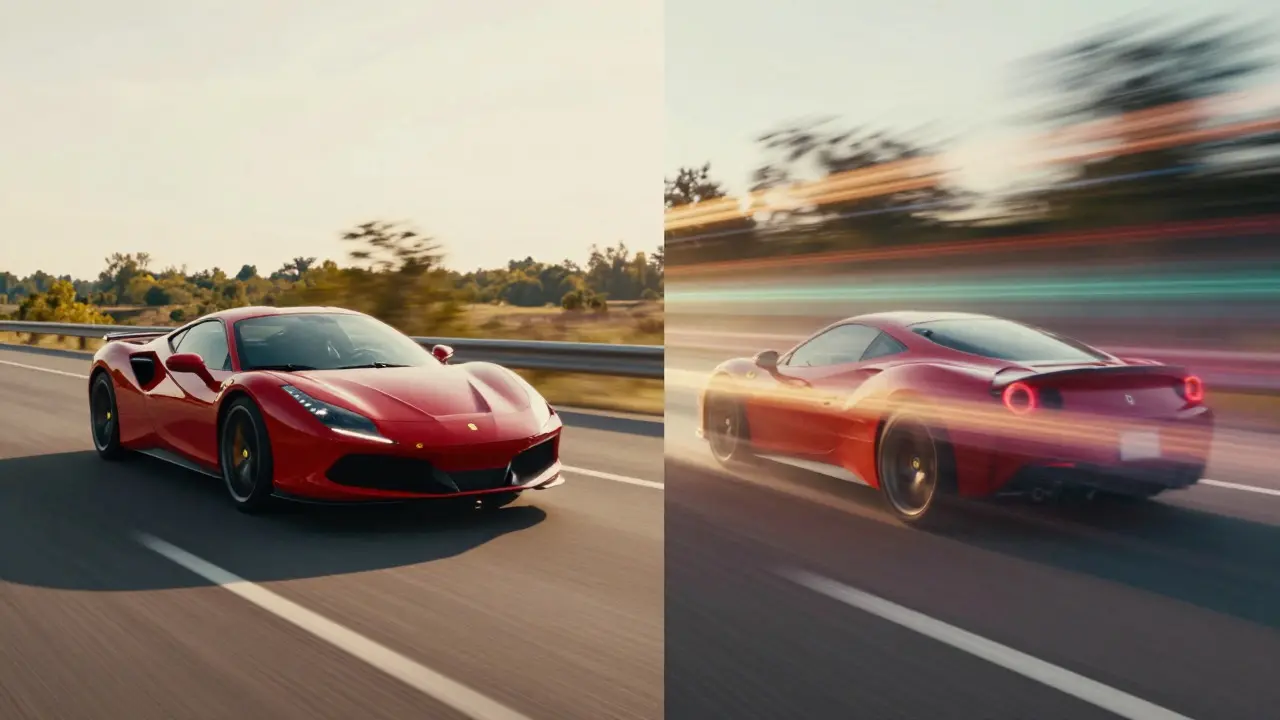
Aesthetic Choices: Styling Movement
Once you understand the mechanics, you can start using them as creative levers. Different genres and moods benefit from specific motion characteristics. For instance, horror films often employ shorter shutter angles to keep shadows and quick movements sharp, enhancing the sense of threat and immediacy. The lack of blur makes sudden appearances feel more shocking because the brain processes the new information instantly without the smoothing effect of motion trails.
On the other hand, musical numbers or fantasy sequences might utilize longer shutter angles. Imagine a character dancing in a ballroom. A 360-degree shutter would create elegant, flowing trails around their limbs, emphasizing grace and rhythm rather than precise anatomical movement. This technique was famously explored in various stylized productions where the goal was not realism, but emotional resonance through visual flow.
Action directors also play with this balance. During a chase scene, a cinematographer might switch between a standard 180-degree shutter for stable, readable shots and a shorter 90-degree shutter for handheld close-ups. The shorter shutter helps retain facial expressions and weapon details during rapid pans, ensuring the audience doesn't lose track of who is doing what, even when the camera is shaking violently.
Digital Simulation vs. Optical Capture
One major shift in modern cinematography is the ability to simulate motion blur in post-production. Digital cameras often record with a global shutter or rolling shutter mechanism that differs from the optical shutter of film. While high-end cinema cameras offer electronic shutters that mimic traditional angles, budget-friendly setups sometimes rely on software to add blur later.
This approach has pros and cons. Simulating blur gives you flexibility; you can adjust the intensity after the fact. However, it lacks the organic imperfections of optical capture. Real motion blur interacts with lighting, depth of field, and lens aberrations in complex ways that are difficult to replicate perfectly in software. For example, the way light flares spread during a long exposure is physically distinct from a digital filter applied to a sharp image. Therefore, whenever possible, capturing the correct shutter angle on set is preferred. Post-production simulation should be reserved for corrective measures or highly stylized VFX shots where the blur needs to match computer-generated elements exactly.
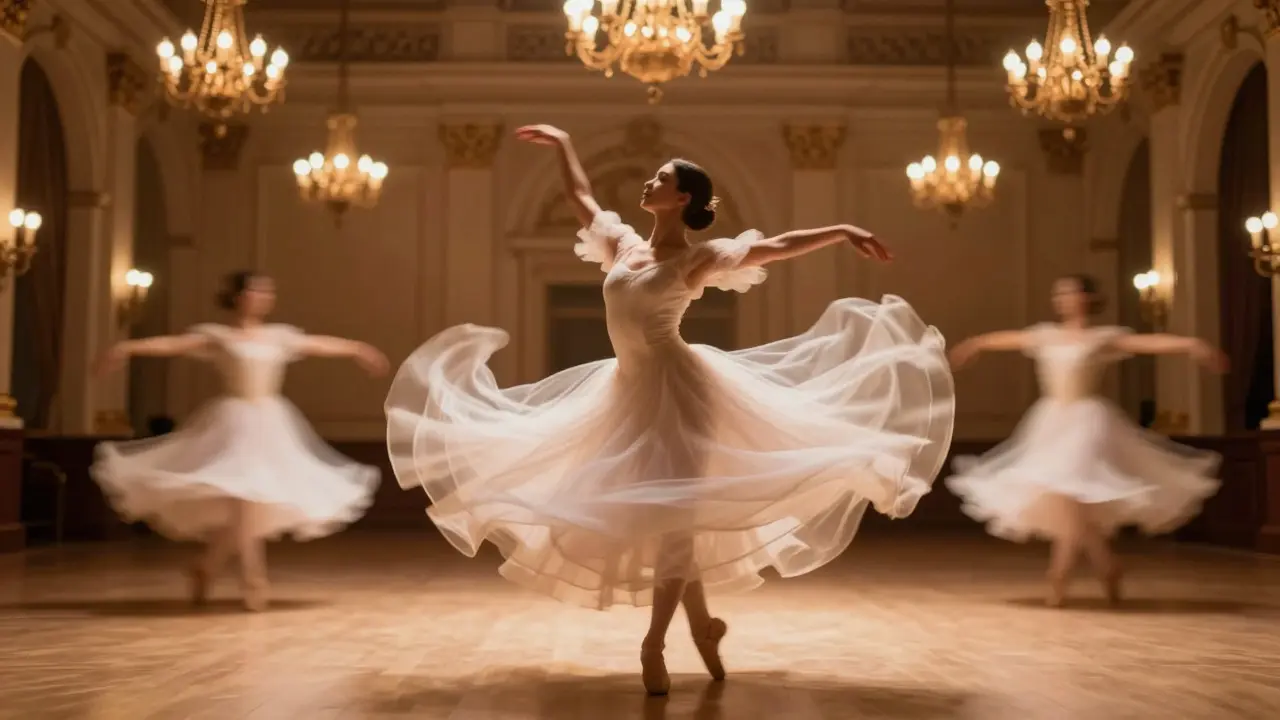
Practical Tips for Cinematographers
If you are stepping behind the camera, here are some practical guidelines to help you dial in the right look:
- Start with 180 Degrees: Unless you have a specific reason to deviate, 180 degrees is the safe, neutral baseline for narrative work. It looks 'correct' to most audiences.
- Check Your Frame Rate First: Always calculate your exposure time based on your chosen frame rate before adjusting the shutter angle. Remember, Exposure Time = 1 / (Frame Rate x Shutter Angle/360).
- Test with Real Movement: Static test shots won't reveal issues with motion blur. Have an actor walk across the frame or pan the camera quickly to see how the blur behaves.
- Beware of Flicker: If you are shooting under artificial light, ensure your shutter angle aligns with the power frequency (50Hz or 60Hz) to avoid banding or flickering in the background lights.
- Use High-Speed for Slow-Mo: If you plan to shoot slow motion, you will likely need a higher frame rate. This naturally shortens your exposure time. You may need to compensate with wider apertures or higher ISO to maintain proper brightness, or accept the sharper look that comes with high-speed photography.
Frequently Asked Questions
What is the best shutter angle for beginners?
The 180-degree shutter angle is the recommended starting point for beginners. It provides a natural, cinematic look that matches human perception of motion. It is versatile enough for most narrative scenes and minimizes the risk of looking unnatural or overly stylized.
How does shutter angle affect exposure?
Shutter angle directly controls the duration of light hitting the sensor. A larger angle (e.g., 360 degrees) lets in more light, resulting in a brighter image but more motion blur. A smaller angle (e.g., 90 degrees) lets in less light, resulting in a darker image but sharper motion. You must balance this with aperture and ISO to maintain correct exposure.
Why do movies look different from TV broadcasts?
Movies typically use 24 frames per second with a 180-degree shutter, creating a specific type of motion blur that feels artistic and fluid. TV broadcasts, especially sports and news, often use higher frame rates (30, 60, or 120 fps) with shorter effective shutter times. This results in clearer, more detailed images that feel 'real-time' but lack the cinematic softness of film.
Can I fix bad motion blur in post-production?
To some extent, yes. Software can add simulated motion blur to sharp footage or reduce blur on existing clips. However, adding blur is generally easier and more convincing than removing it. Removing blur requires deblurring algorithms that can introduce noise or artifacts. It is always better to get the shutter angle right on set.
What is the relationship between frame rate and shutter speed?
They are inversely related when maintaining a constant shutter angle. If you double the frame rate while keeping the shutter angle at 180 degrees, your shutter speed (exposure time) doubles as well (becomes faster). For example, going from 24fps to 48fps changes your exposure from 1/48s to 1/96s. This ensures the ratio of blur to frame count remains consistent.