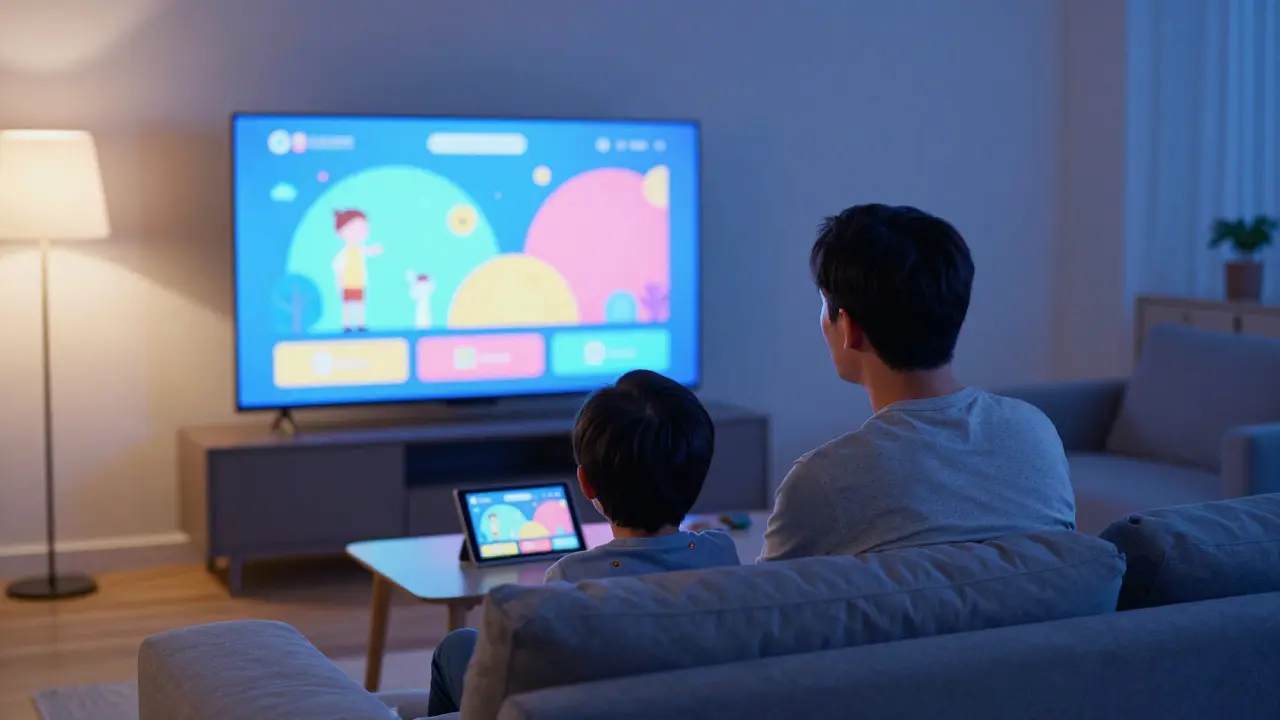
It’s 7:30 PM on a Tuesday. Your kid wants to watch Bluey, your partner is craving a thriller, and you just want something that doesn’t require active participation. You open the app, scroll past the personalized recommendations, and feel that familiar tug-of-war. This isn’t just about finding a movie; it’s about navigating a digital ecosystem designed to keep everyone glued to the screen while keeping parents in control. Understanding how streamers balance these competing needs reveals a sophisticated layer of strategy behind the simple interface.
Streaming platforms have evolved from simple video libraries into complex behavioral engines. For families, this means the "discovery" process is no longer random. It is curated by algorithms that weigh age ratings, viewing history, and even time of day. The core challenge for streamers is retaining the adult subscriber while satisfying the child viewer who often holds the remote. To solve this, companies like Netflix is a global leader in streaming services that utilizes advanced data analytics to personalize user experiences. have developed specific tactics to engage parents without alienating kids.
The Architecture of Parental Controls
Parental controls are more than just a PIN code gate. They are a strategic tool that defines the scope of the library available to each profile. When a parent creates a "Kids" profile, they aren't just hiding R-rated movies; they are activating a different set of algorithmic rules. These profiles typically restrict content based on MPAA or BBFC ratings, but modern systems go deeper. They analyze completion rates and drop-off points to suggest titles that match the child’s attention span and comprehension level.
This segmentation allows streamers to cross-sell effectively. A parent browsing the main profile sees ads for new series, but the kid’s profile remains ad-free (in most cases) to maintain trust. However, the parent’s engagement with the "family" category feeds back into their own recommendations. If you spend ten minutes looking at animated features, the system assumes you are a primary decision-maker for household entertainment. This creates a feedback loop where parental curiosity drives platform retention.
- Profile Segmentation: Separates viewing data to prevent adult preferences from polluting kids' suggestions.
- Rating Filters: Hard limits based on age-appropriate classification standards.
- Time Limits: Daily caps that enforce breaks, positioning the platform as a responsible partner rather than just a content provider.
Algorithmic Nudging for Families
How does a streamer know when to show a cartoon versus a documentary? The answer lies in contextual cues. Algorithms now consider the time of day, the device being used, and the previous title watched. If a child finishes an episode of a popular show at 6:00 PM, the next suggestion is likely another high-energy animated series. But if the same child opens the app at 4:00 PM on a weekend, the system might pivot toward educational content or longer-form family films.
This nuance is critical for Disney+ is a streaming service owned by The Walt Disney Company focusing on family-friendly IP and original content.. With a massive library of established franchises, Disney+ uses brand recognition as a shortcut. Parents trust the Disney name, so the algorithm leans heavily on familiar logos. This reduces the cognitive load for parents who don’t want to research every title. It’s a low-risk recommendation strategy that prioritizes safety over novelty.
In contrast, newer entrants like Hulu is a subscription-based video-on-demand streaming service offering live TV and on-demand content. often compete on variety. Their family strategy involves mixing classic cartoons with recent live-action hits, appealing to parents who grew up on the same shows. This nostalgia factor is a powerful engagement tactic, creating a shared cultural reference point between generations.
The Role of Original Content in Retention
Broadcast TV relied on reruns; streaming relies on exclusivity. For families, exclusive original content is the strongest hook. When a streamer releases a highly anticipated family film, it creates a temporary spike in engagement that can convert free trials into paid subscriptions. These releases are often timed to coincide with school holidays or summer breaks, maximizing the window for family co-viewing.
Originals also allow streamers to control the entire narrative experience. Unlike licensed content, which has fixed release windows, originals can be dropped at any time to fill gaps in the catalog. This flexibility helps maintain a steady flow of fresh material, preventing the "library fatigue" that plagues platforms with static catalogs. For parents, this means there is always something new to discuss, keeping the conversation around media consumption dynamic rather than repetitive.

Engaging Parents Through Education and Trust
Parents are not just gatekeepers; they are consumers themselves. Streamers recognize this by offering content that appeals to both parties simultaneously. Co-viewing content-films or series that work for a 10-year-old and a 40-year-old-is a strategic sweet spot. These titles often feature themes of adventure, humor, or heartwarming stories that transcend age barriers. By promoting these dual-appeal titles prominently, streamers increase the likelihood of household-wide engagement.
Trust is built through transparency. Modern streaming interfaces provide clear indicators of content type, such as "Educational," "Comedy," or "Action." These tags help parents quickly filter out unwanted genres without reading detailed descriptions. Additionally, many platforms now include brief synopses that highlight positive values, such as teamwork or kindness, reassuring parents that the content aligns with their parenting goals.
The Impact of Device Ecosystems
Where you watch matters as much as what you watch. Smart TVs, tablets, and mobile phones offer different levels of control and immersion. On a smart TV, the interface is larger and more visual, making it easier for parents to scan options. On a tablet, the focus is often on individual consumption, leading to more independent viewing by children. Streamers optimize their UI/UX for each device, knowing that the tablet is often the primary portal for younger kids.
This device-specific strategy influences how parental controls are implemented. On mobile apps, parental controls are often stricter by default, reflecting the higher risk of accidental purchases or inappropriate content exposure. On TV, the controls are more granular, allowing for detailed customization. Understanding these differences helps parents choose the right device for the right context, enhancing the overall family viewing experience.

Future Trends in Family Streaming
As technology advances, we can expect more integration between streaming platforms and home ecosystems. Imagine a system where the smart speaker announces a new family-friendly movie based on the weather outside, or where the TV automatically switches to a calm, low-stimulation mode when bedtime approaches. These AI-driven adjustments will make the viewing experience more seamless and less intrusive.
Furthermore, the rise of interactive content could change how families engage with stories. Choose-your-own-adventure formats allow kids to make decisions that affect the plot, turning passive watching into active participation. This interactivity keeps children engaged longer and gives parents a sense of involvement in the creative process. As these technologies mature, the line between gaming and streaming will blur, offering new avenues for family bonding.
Frequently Asked Questions
What is the most effective way to manage screen time for kids on streaming platforms?
Use the built-in daily time limits found in parental settings. Combine this with a family rule that requires one hour of non-screen activity after each session. Most platforms allow you to set hard stops that pause playback, forcing a break.
Do parental controls really work across all devices?
Generally, yes, but consistency is key. Ensure the same profile is used on all devices. Some platforms sync settings via cloud accounts, so changes made on a phone reflect on the TV. Always verify that the PIN is unique and not shared with siblings.
Which streaming service is best for young children under five?
Disney+ is often cited as the top choice due to its extensive library of preschool-focused content and simplified navigation. Its "Cocomelon" and "Mickey Mouse Clubhouse" sections are specifically designed for short attention spans and early learning.
How do algorithms decide what to show my child?
Algorithms track viewing history, completion rates, and search queries within the child's specific profile. They also consider the time of day and the device used. If a child watches a lot of animal documentaries, the system will prioritize similar nature-themed content.
Is it better to use a dedicated kids' profile or share an adult profile?
A dedicated kids' profile is almost always better. It isolates viewing data, ensures accurate recommendations, and provides tighter control over content ratings. Sharing an adult profile can lead to mixed recommendations and makes it harder to enforce age restrictions.